Have any question?
Call (409) 861-4450

Call (409) 861-4450

Imagine hiring a security inspector to check your office building, and they hand you a report showing thousands of unlocked doors and windows you never even knew were there.
That's essentially what just happened to the tech world.

Business owners often make technology investments in a vacuum. You look at the metrics, you see the potential return on investment, and you purchase the platform. Two months later, everyone is still quietly reverting back to their old spreadsheets. You might want to mandate the new software and lock down the old files, but mandating the platform is not the core issue. The problem is that your team does not see the tool as a way to make their workdays easier.

How much does a 5-second lag on your technology cost? Most business owners will look at an aging laptop and think, “It still works, so why replace it?” The reality is that older devices can lead to a silent, invisible drain on your budget that doesn’t show up on the hardware invoice: the labor leak.

How often do you find yourself sitting in your car, coffee in the cupholder, dreading going into your own business just because you know that there will be some number of IT challenges and issues that you will have to deal with?
This is completely understandable… unless you happen to be working with a managed service provider.

Imagine walking into the office to find the file infrastructure and internal applications are inaccessible. Every directory contains a text file explaining that your data has been encrypted. This is the result of a zero-day ransomware attack that bypassed standard antivirus definitions.

Traditional antivirus relies on a database of known threat signatures to identify malicious files. While this method was effective a decade ago, it is now dangerously reactive. Modern cybercrime utilizes automated tools to generate malware that alters its digital signature every few seconds. This means a threat can bypass security measures before a definition update is ever released to your network.

For years, the gold standard for avoiding a scam was simple: if an email looked suspicious, you just picked up the phone to verify it. Unfortunately, that safety net is fraying. Cybercriminals are now leveraging AI voice cloning to turn a quick phone call into a sophisticated trap.

We’ve all seen the headlines about what AI can do; it can write your emails, analyze your spreadsheets, and even generate art in seconds. But we rarely talk about what it takes to make that happen. When you ask a chatbot a question, you aren't just tapping into a "brain" in the cloud; you are triggering a massive, physical chain reaction of resource consumption.

Ask a handful of IT consultants to explain the cloud, and you’ll likely be met with a blizzard of buzzwords—”scalability,”“elasticity,” and “hybrid infrastructure”—that do very little to help you hit your quarterly goals.
All the noise aside, the cloud isn’t a mystery; it’s simply renting someone else's computer. Instead of maintaining a server box in your broom closet, you are leasing space on high-performance machines owned by giants like Microsoft, Amazon, or Google. They own the hardware; you own the results.

Nowadays, it’s common for business tools to incorporate AI into their already helpful features. Google Docs is a prime example. As of the time of this writing, Google has recently added a “Help me create” function that can help you get a start on your next project.
Let’s take a look at how it works and how you could potentially utilize it to your advantage.

When you think of business technology, what’s the impression you get? Do you look at it as a pain in the neck obligation, an unavoidable cost, or one of your most valuable assets?
For many, it is the former… but for the most successful among us, it is the latter. Let’s talk about how you can use your technology to optimize your incoming cash flow.
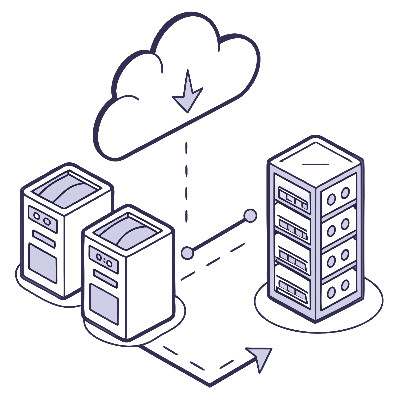
Most business owners I talk to have some form of backup. Maybe it's an external drive plugged into a server, or perhaps everything is saved in the cloud. While these are great starts, they often have a single point of failure. If your office has a fire, that external drive is gone. If a user accidentally deletes a folder and it syncs to the cloud, that data might be gone before you notice.
To make a backup "trustworthy," we use a framework called the 3-2-1-1 Rule. It sounds like a football play, but it’s actually a recipe for peace of mind.

It’s almost impossible to find a workplace these days where mobile devices aren’t part of the furniture. We use them for everything from checking email between meetings to approving contracts while waiting for a latte. When done right, giving your team the ability to work from anywhere is a massive win for productivity.

Cybersecurity can often feel like a complex web of buzzwords, but professionals actually rely on a simple framework called the CIA Triad to stay safe. This doesn't refer to the intelligence agency; instead, it stands for Confidentiality, Integrity, and Availability. You can think of these three pillars as the locks, the reinforced walls, and the key to the vault. If any one of these pillars fails, the entire system is at risk.
As your team expands, so does your digital footprint. Managing who has access to your company’s financial records, customer data, and internal systems quickly shifts from a simple task to a significant liability that takes time and effort to manage.
Without a centralized strategy, your business becomes vulnerable to a lot of problematic situations. This occurs when employees accumulate access rights over time, often retaining permissions from previous roles or temporary projects that they no longer need. This simple problem actually creates security holes in your network and increases the risk of a data breach that could compromise your reputation and your revenue.

The workplace is an interesting environment. Not only is it a place where numerous people with vastly different personalities are kept in close proximity, but it also actively forces them to interact with one another—and a lot, too. It is also important to recognize that the conversation there is a unique blend of professional and interpersonal elements. This is the case whether the office is a physical space or a digital concept.
Of course, as with any environment, there are stressors that complicate things and insert friction into the workplace. Let’s discuss how the tools you use to communicate can help smooth over this friction, if used correctly.

Back in the early 2000s, a “tech guy” like a neighbor, a cousin, or a solo freelancer, was often enough to keep a small office running. Nowadays, it’s an entirely different ballgame. The landscape of business technology has shifted so dramatically that you need a strategic professional managing your IT, not an amateur, but not for the reasons you might expect.

On March 23, the Federal Communications Commission announced its intention to ban the sale of all foreign-made Wi-Fi routers moving forward, with manufacturers able to apply for a conditional approval exemption on the FCC’s website. While this will obviously have an impact on businesses of all shapes and sizes, it may not be the one you’d expect.
Let’s talk about what this ban means, both in terms of its requirements and in relation to your business. Spoiler: it’s going to get complicated.

Think about your monthly calendar. How many blocks of time are swallowed up by back-and-forth emails and technical disputes with service providers? Most leaders find themselves acting as an unpaid mediator between their own vendors; a role that frustratingly offers zero ROI.

Realistically, the biggest cyberthreats you are likely to face will be born within your office. This is not to say that you’ve actually hired a team of cybercriminals posing as good-intentioned employees… In many cases, the issue actually stems from how good-natured your employees are.
In their drive to prove their worth, these team members can develop habits that counterproductively harm your organization. Let’s dive in and discuss a few ways this happens, and what can be done about it.
Get the Knowledge You Need to Make IT Decisions
Technology is constantly evolving, and keeping up can feel overwhelming. Whether you want to understand cybersecurity threats, explore automation, or learn how regulations like PCI DSS impact your business, we’ve made it easy to access clear, straightforward insights on key IT topics.
Learn more about what NetWorthy Systems can do for your business.
NetWorthy Systems
701 W. Division Ave Suite 100
Orange, Texas 77630