Have any question?
Call (409) 861-4450

Call (409) 861-4450

 The Seinfeld Productivity Calendar is a simple way to coax you into accomplishing your goals in a very primal, if not OCD, kind of way. It's named after its creator, Jerry Seinfeld, who is known for much bigger things. Jerry Seinfeld is not only a sophisticated actor/comedian, but he also has a very interesting way to get things done.
 As your vacation winds down, the reality of being away for a week or two begins to sneak up on you. Knowing that you have a full inbox of back messages may put a damper on your relaxed mood. If you planned ahead, then you would have used an auto responder to automatically notify everyone that you were away.
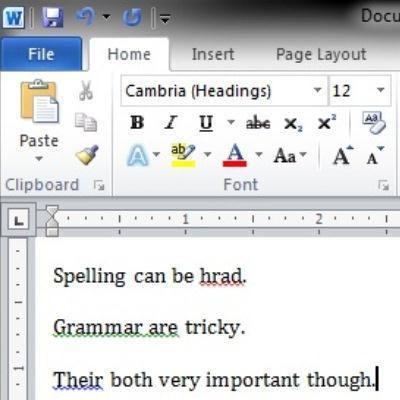 Unless you are an English major, writing a well thought-out message without any spelling or grammatical errors can be a challenging task. There is not yet a technology that will transform a couple of bullet points into a detailed thesis paper, but Microsoft Word does include helpful tools that will improve the spelling and grammar for any aspiring writer.
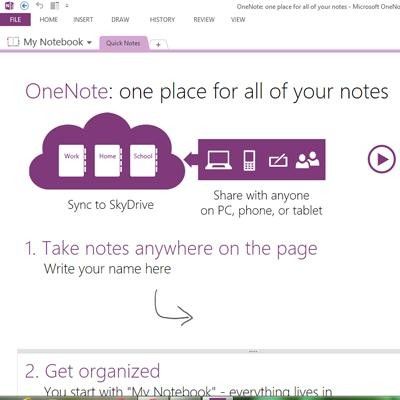 Microsoft Office 2013 will be released during Q1 of 2013. The previews we have seen look promising, Office 365 has cloud-based services and touch screen features that work well with the new Windows 8 OS. We will highlight a few of these upgrades by looking at five new features with OneNote 2013.
 What feelings are conjured up by the phrase, "file not found?" If you are unable to locate an important file on your PC, you are going to have a bad time. Insult is added to injury when you cannot find a file that you created because you do not remember what you named it.
 Spending hours every day staring at a computer monitor can cause strain to your eyeballs. Computer vision syndrome (CVS) affects 50 to 90 percent of computer workers physically with headaches, eye twitching, and physical fatigue. CVS can decrease productivity and even increase work errors. To help alleviate eye strain, Windows has an easy-to-use feature called ClearType.
 The smartphone ownership rate for American adults increased to 46% in 2012, this according to a study by Pew Research. This study does not include other mobile devices like tablets, laptops, and notebooks, but the use of these devices is also growing, with worldwide sales for just smartphones and tablets projected to hit 1.2 billion in 2013.
 Every business is striving to grow, but with growth comes new challenges like hiring new staff. If you have a growing business model, then you likely achieved this by adopting smooth procedures. The same principle applies to growing your staff; and with solid on boarding procedures in place, you can get more performance out of your staff.

Modern technology makes it easy to get things done from anywhere, allowing employees to work while on the go. One of the caveats of working while traveling is keeping focused. Unlike sitting in the office where an employee can focus, traveling puts workers in busy airports, coffee shops, or poolside at a hotel. Here are a few tips to help you focus on tasks while on the road.

Do you work in an office and sit in front of a desk all day? Chances are, you have experienced back pain or tight shoulders. Maybe you get headaches from staring at the computer all day. Well today we will discuss some tips on how to reduce the negative effects that office work can have on your body. Working these tips into your day can have a dramatic effect on your mental and physical health and you will feel all the better for it.

Technology today makes it easy for businesses to let employees work from home. Offering secure remote access gives employees the flexibility to work on the road, at events, or from home as if they were at their desks in the office. Is this good for small businesses?

For those who find themselves struggling with resizing windows and flipping between documents and getting lost in a sea of open applications on their desktop, connecting a second monitor to your workstation can double your screen real estate.
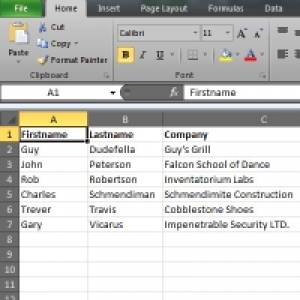
Want to send out a large number of documents that are almost the same aside from a few specific areas? One example would be a letter to all of your existing clients about a new product or service, but you want each letter to address the recipient's name and company. This looks like a job for the mail merge!

Plenty of Golden Triangle businesses use the Microsoft Office suite of productivity tools. From Office 2007 and on, Microsoft has made it extremely easy to dress up your documents and presentations. These tricks will typically work with most Office products, from Word to Power Point, even Outlook; although in some apps the options might be in different places. Today's tutorial will focus on Microsoft Word.

The words Productivity and Internet have been fit together in many different sentences, and usually in the sense that the Internet is a Productivity-killer. Take Facebook, for example; there are many arguments stating that Facebook is costing companies billions of dollars because employees are spending too much time on the social network while at work. Of course, Facebook (and the other social networks) are practically mandatory for businesses who want to market themselves. Other companies are clamoring that personal social media use greatly improves productivity and employee moral.

The words Productivity and Internet have been fit together in many different sentences, and usually in the sense that the Internet is a Productivity-killer. Take Facebook, for example; there are many arguments stating that Facebook is costing companies billions of dollars because employees are spending too much time on the social network while at work. Of course, Facebook (and the other social networks) are practically mandatory for businesses who want to market themselves. Other companies are clamoring that personal social media use greatly improves productivity and employee moral.

It's the start of the 2011 hurricane season, and with Hurricane Irene making contact with Atlantic coastlines this week, it certainly doesn't hurt to make sure your business is prepared for a disaster. Even if you are lucky enough to not be affected by these devastating storms, there are plenty of opportunities for nature to cause havoc on our way of life. It's never to late to put together a Disaster Recovery Plan (alternatively known as a Business Continuity Plan) in case a natural (or otherwise) disaster were to occur for you. Nobody wants to think a disaster might happen, but it isn't impossible. Here are a few steps small businesses can take to become better prepared.
Get the Knowledge You Need to Make IT Decisions
Technology is constantly evolving, and keeping up can feel overwhelming. Whether you want to understand cybersecurity threats, explore automation, or learn how regulations like PCI DSS impact your business, we’ve made it easy to access clear, straightforward insights on key IT topics.
Learn more about what NetWorthy Systems can do for your business.
NetWorthy Systems
701 W. Division Ave Suite 100
Orange, Texas 77630